
|
Novarum DX Ltd
|
Document ID: IFU036
|
Use Ground Truth management when you need to assign, review, or update the true diagnostic status of your test results—essential for robust validation, QC, and performance analysis.
What is Ground Truth?
This page explains how to use the Ground Truth feature in RARE to assign, manage, and track the confirmed diagnostic status of your results. Ground Truth labels are critical for downstream analysis, including ROC curves, confusion matrices, and regulatory reporting.
Ground Truth management lets you:
-
Assign a “true” diagnostic label (e.g., Positive, Negative) to each result at the test-line level.
-
Apply labels manually, in bulk, or via file import for large datasets.
-
Ensure that Ground Truth is visible and traceable across all result tables, exports, and performance reports.
-
Inherit Ground Truth labels into reprocessed datasets, preserving diagnostic lineage and auditability.
-
Support robust validation, QC, and regulatory workflows by underpinning all diagnostic performance metrics with confirmed reference data.
Typical use cases include:
-
Labelling results for a validation study.
-
Updating Ground Truth after a reference method review.
-
Importing Ground Truth from external sources for large-scale studies.
-
Ensuring consistent diagnostic labels across reprocessed or re-analysed datasets.
Ground Truth Management
Accessing Ground Truth Management
-
Navigate to Results > Ground Truth in the main sidebar.
-
Permissions:
-
Only users with appropriate roles (e.g., QC Scientist, Validation Lead, Admin) can assign or edit Ground Truth.
-
What you see and can do may depend on your organisation’s subscription tier.
-
Key Concepts
-
Ground Truth: The confirmed diagnostic status for each result, assigned at the test-line level (e.g., Positive, Negative).
-
Assignment: The process of setting Ground Truth, either manually (one-by-one), in bulk (selecting multiple results).
-
Inheritance: When you reprocess data, Ground Truth labels can be carried forward to maintain traceability.
-
Audit Trail: Every change to Ground Truth is logged for traceability and compliance.
-
Performance Analysis: All diagnostic metrics (e.g., sensitivity, specificity, ROC) are calculated using Ground Truth as the reference.
Understanding the Ground Truth List
The Ground Truth list displays all results with their assigned Ground Truth status. You’ll see columns for:
-
Sample ID
-
Ground Truth edit icon, indicating assignable, not assignable (data collection), or already assigned

-
Assignment method (manual, bulk, import)
-
Last modified date/user
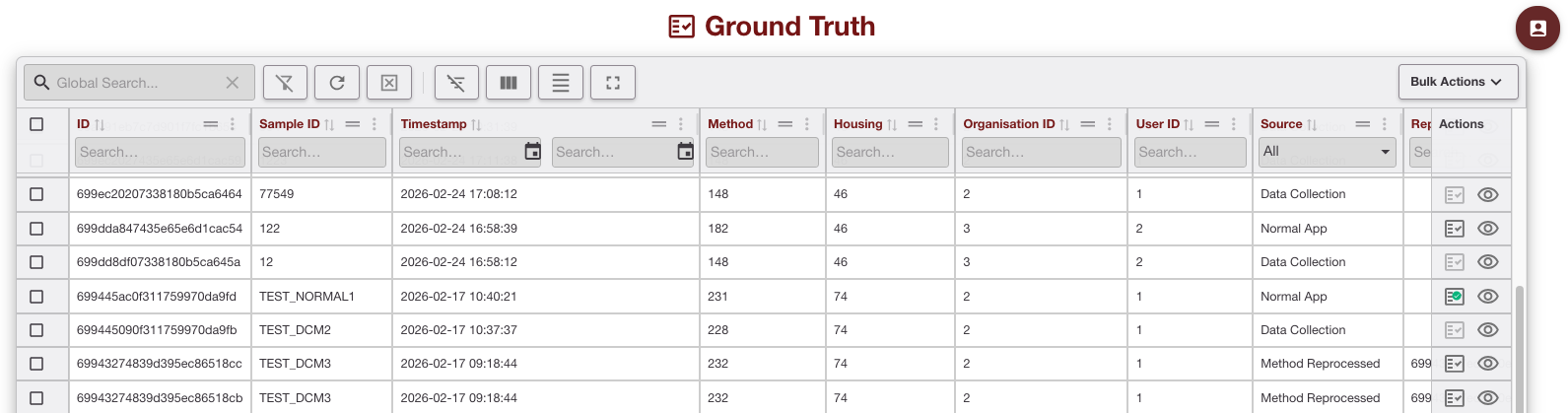
Filtering and Sorting Ground Truth
Filter
-
Filter results by status (e.g., only show “Unassigned” or “Positive”).
-
Filter by date, user, or assignment method.
Sort
-
Sort by Sample ID, Method, Housing, Source, etc
Actions Available
-
Assign Ground Truth: Select one or more results and set their Ground Truth label.
-
Bulk Assignment: Use filters to select a group and assign a label in one action.
-
Edit: Change the Ground Truth label for any result as needed.
Creating a New Ground Truth Assignment
-
Navigate to Results > Ground Truth.
-
Select results:
Use checkboxes to pick individual or multiple results. -
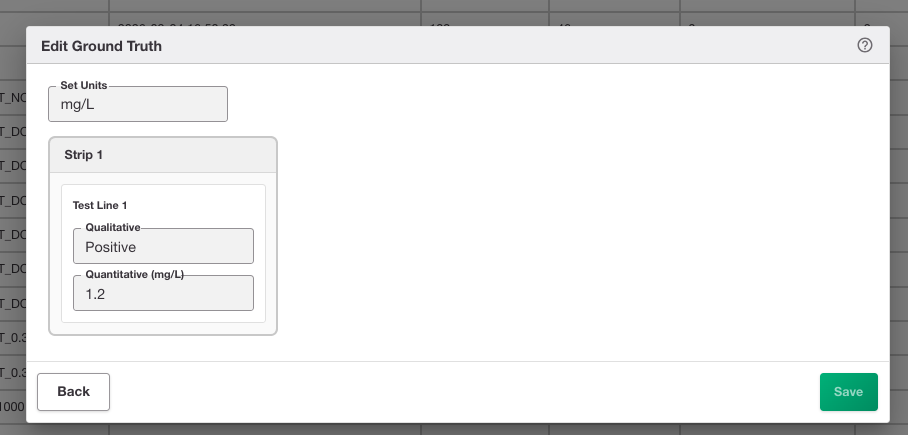
Click “Edit Ground Truth” icon for individual or Bulk Actions > Bulk Add Ground Truth.
-
Choose the appropriate quantitative units if applicable (e.g. mg/L)
-
For each strip and each test line
-
Set the true qualitative label (e.g., Positive, Negative)
-
Set the true quantitative value (e.g. 1.2 mg/L)
-
-
Confirm assignment:
-
The system will prompt for confirmation and log the change.
-
Viewing and Editing an Existing Ground Truth Assignment
You can view an assignment by opening an existing result or by clicking “Edit Ground Truth” on the result list.
Opening an Existing Ground Truth Assignment
-
Click any result in the list to view its details and assignment history.
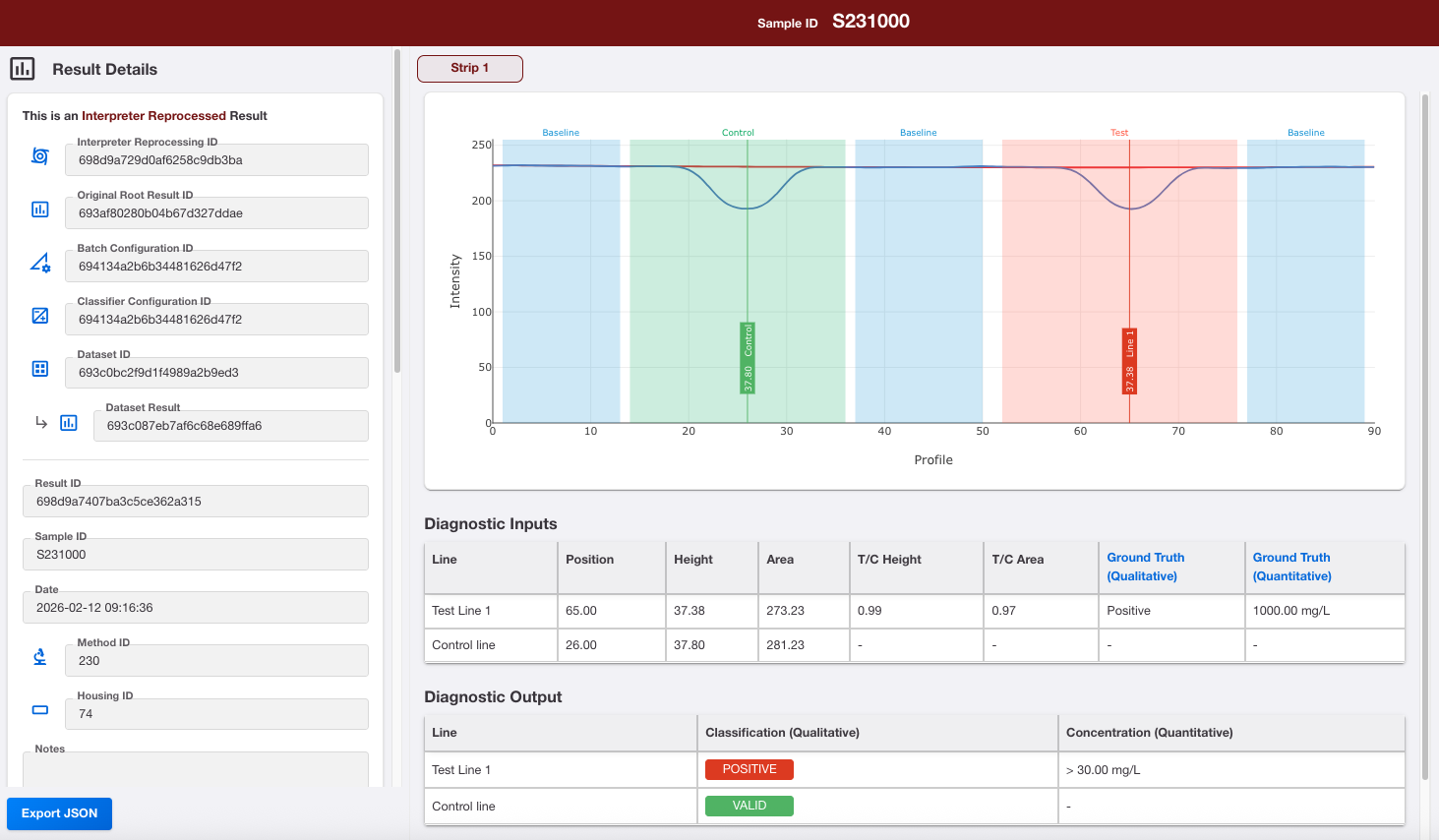
Result with Ground Truth assigned to Diagnostic Inputs -
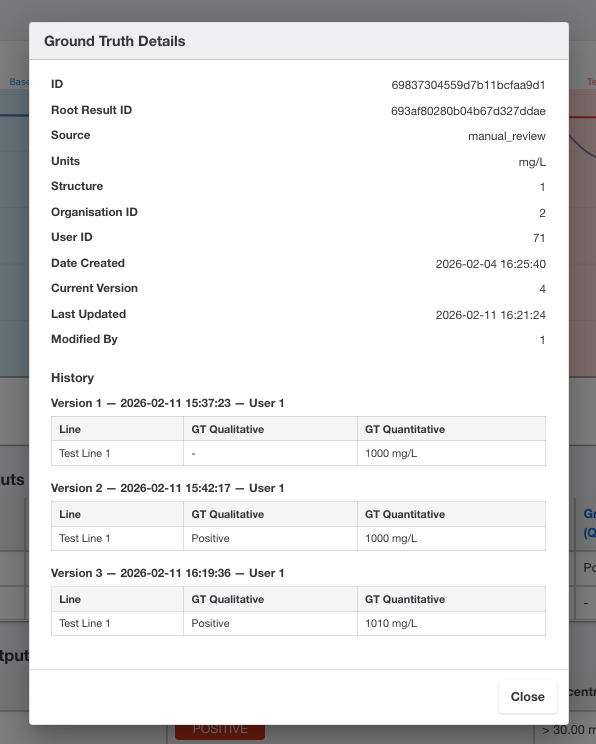
Click on the Ground Truth links in the Diagnostic Inputs table to view View the audit trail
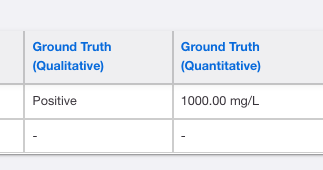
Ground Truth links
Making changes
-
To edit, select the result(s) and click “Edit Ground Truth”.
-
All changes are logged and visible in the audit trail.
After You’ve Done This
-
Assigned Ground Truth is immediately visible in result tables, exports, and performance reports.
-
You can update Ground Truth at any time.
-
All previous assignments are retained in the audit log for traceability.
-
If you reprocess data, existing Ground Truth labels are inherited.
Tips
-
Use clear, consistent naming for imported files and assignment batches.
-
Start with manual assignment for small studies; use bulk or import for larger datasets.
-
Always review the audit log after bulk changes to confirm accuracy.
-
Version your Ground Truth assignments if your study design requires it.